Individual AOD Analysis
This article details how to get the analysis results of individual AOD.
Before we start
- We suggest first reading the Analysis Module Introduction to learn the key features and how to access the Analysis module on the BlendVision web console.
- You can also refer to Overall Analysis for overall trends and usage with visualized graphics
AOD analysis list
This page allows you to get an overview of the metrics for each of your AOD, providing you with detailed insights into your content.
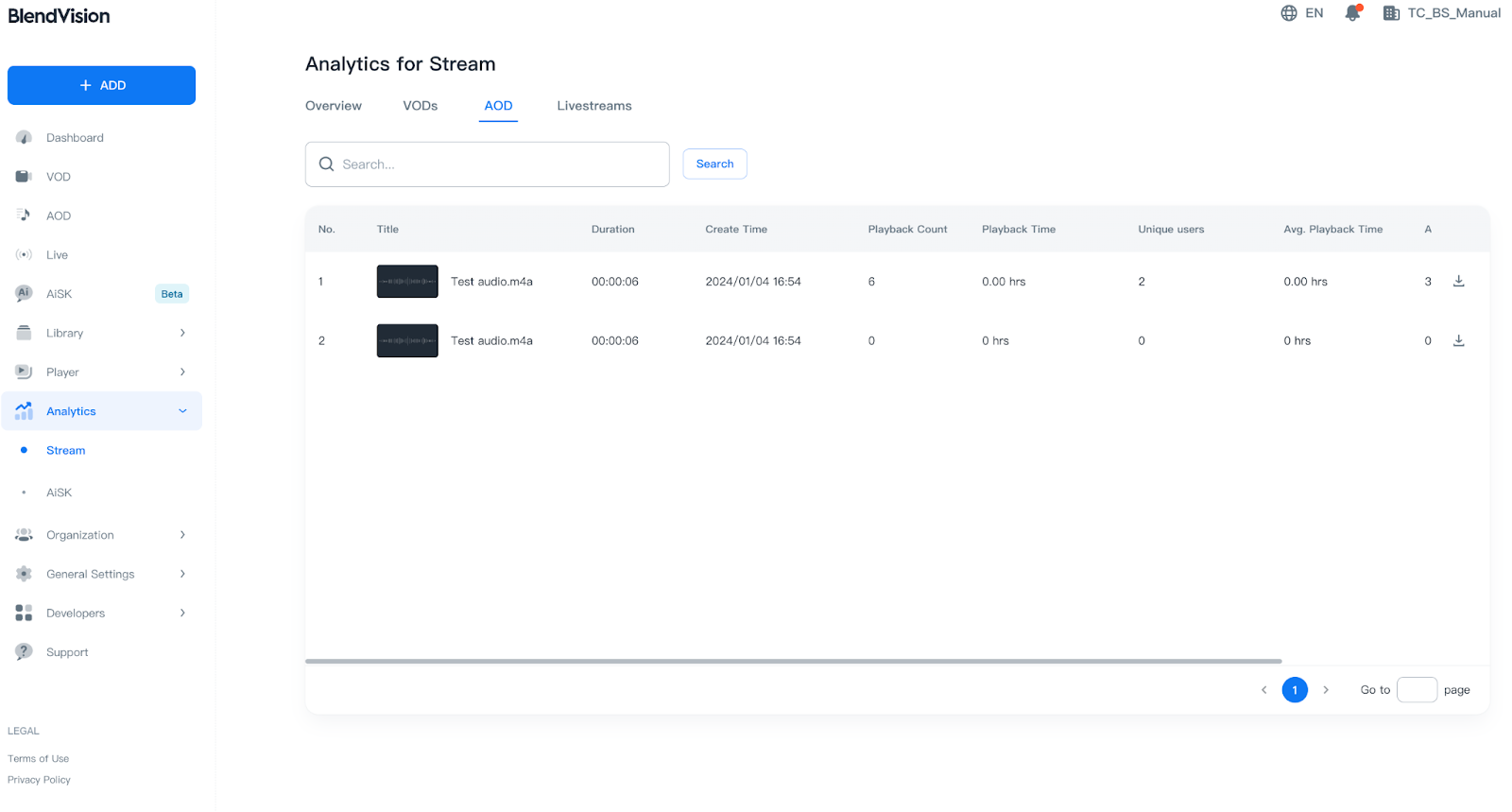
Search
You can search for content titles by entering keywords into the search field: (English/Japanese/Chinese)

- Press the “Search” button to show the search results in the table.
- Press the “Clear” button to reset the search.
Time Filtering
If you want to realize the playback information within a specified period of time, you can confirm it via time filtering function.
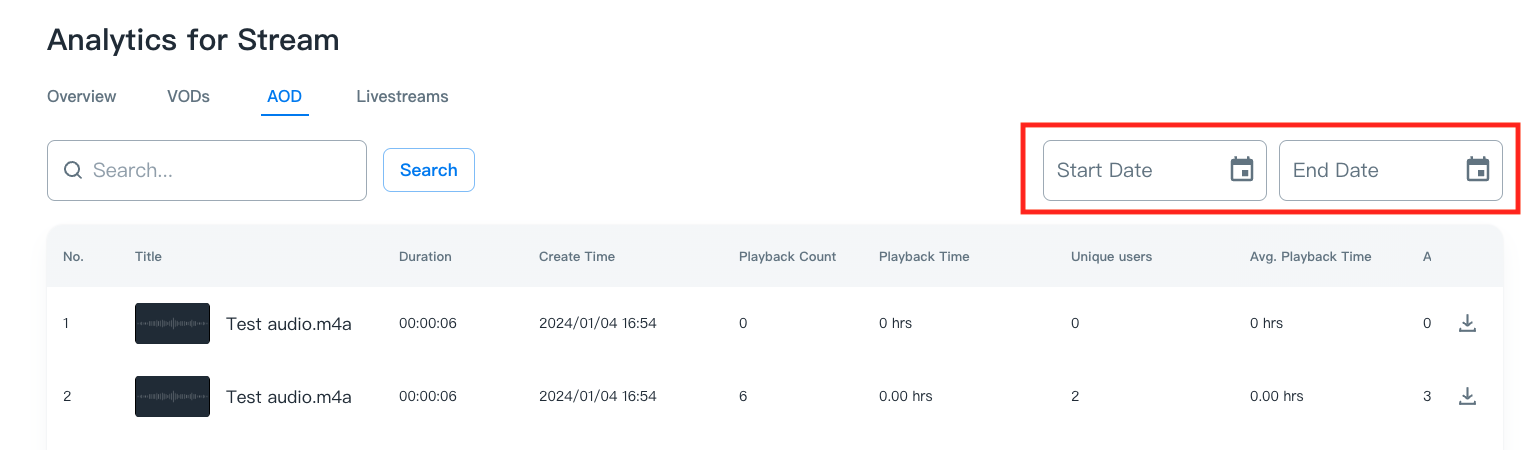
By entering the specified time period into the “Start Date” and “End Date” fields, the playback information will be displayed on the table.
Note:
- For data integrity, please exclude the dates within the last 2 days.
- If the content has not been played within the specified period of time, Playback Count value will display 0.
- The playback information of deleted contents will also be displayed on the table.
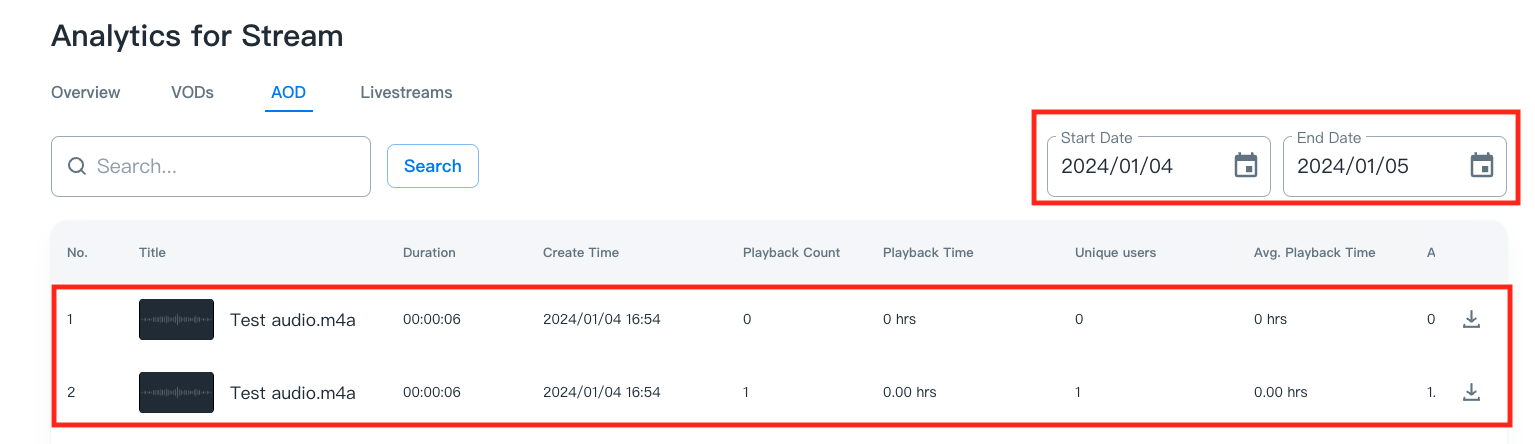
Content summary
By clicking on a specific AOD in the table, a pop-up window with information and metrics will be displayed.
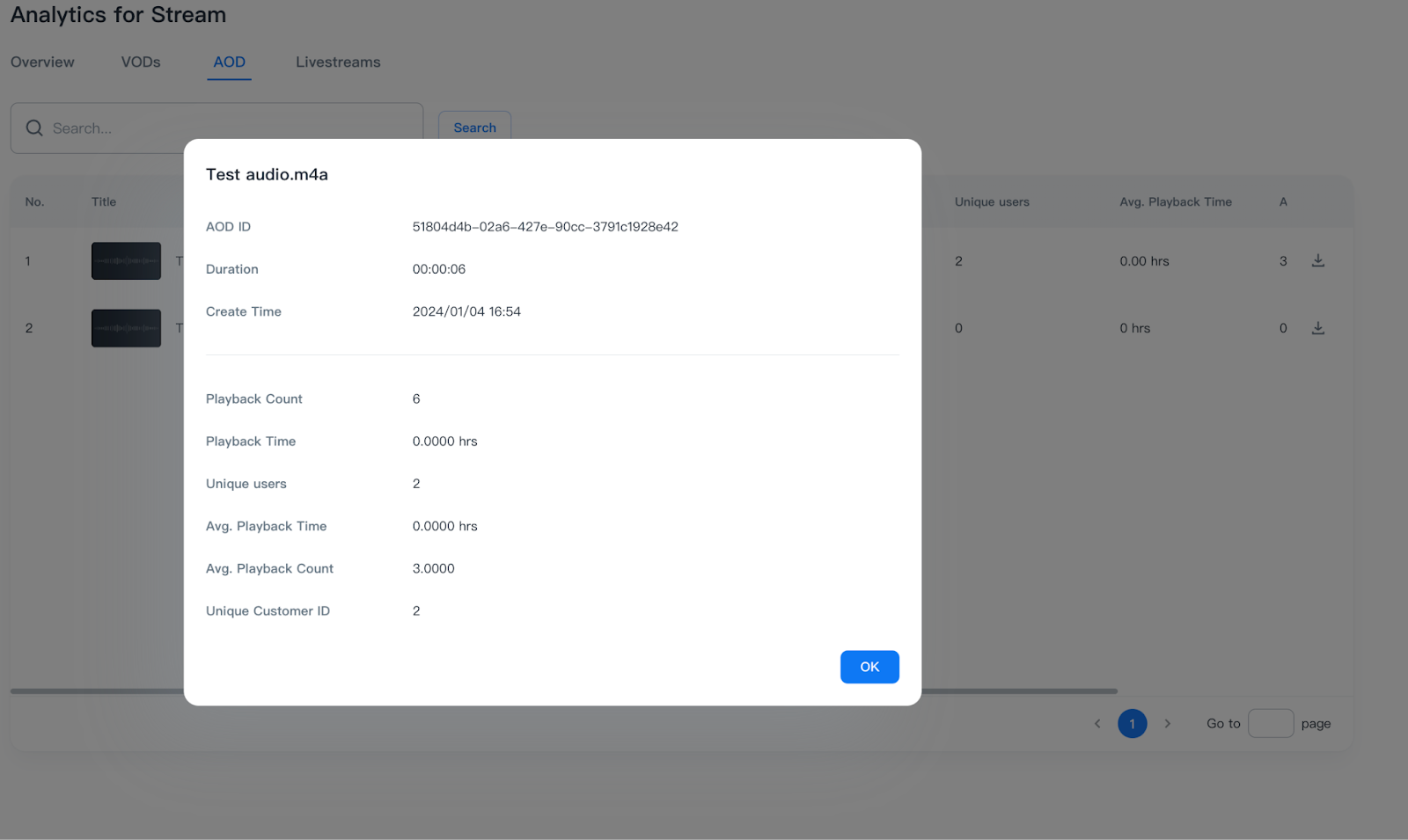
Information definitions for AODs
Information
Definition
AOD ID
The unique ID of the AOD
Duration
The length of the AOD
Create Time
The time the AOD was created
Metrics definitions for AOD
Metrics
Definition
Playback Count
The accumulated counts of the AOD
Playback Time
The accumulated playback time of the AOD
Unique Users
The number of unique individuals who watched the content (estimated through unique device IDs)
Avg. View Duration
Estimated average hours watched per playback (total playback time / total count of playbacks).
Avg. Playback Count
Estimated average number of playbacks per user (total count of playbacks / number of users).
Unique Customer ID
The unique ID of your customer.
Download report
Detailed watch time report and metrics are available in .csv format.
Please refer to Download Analytic Reports.